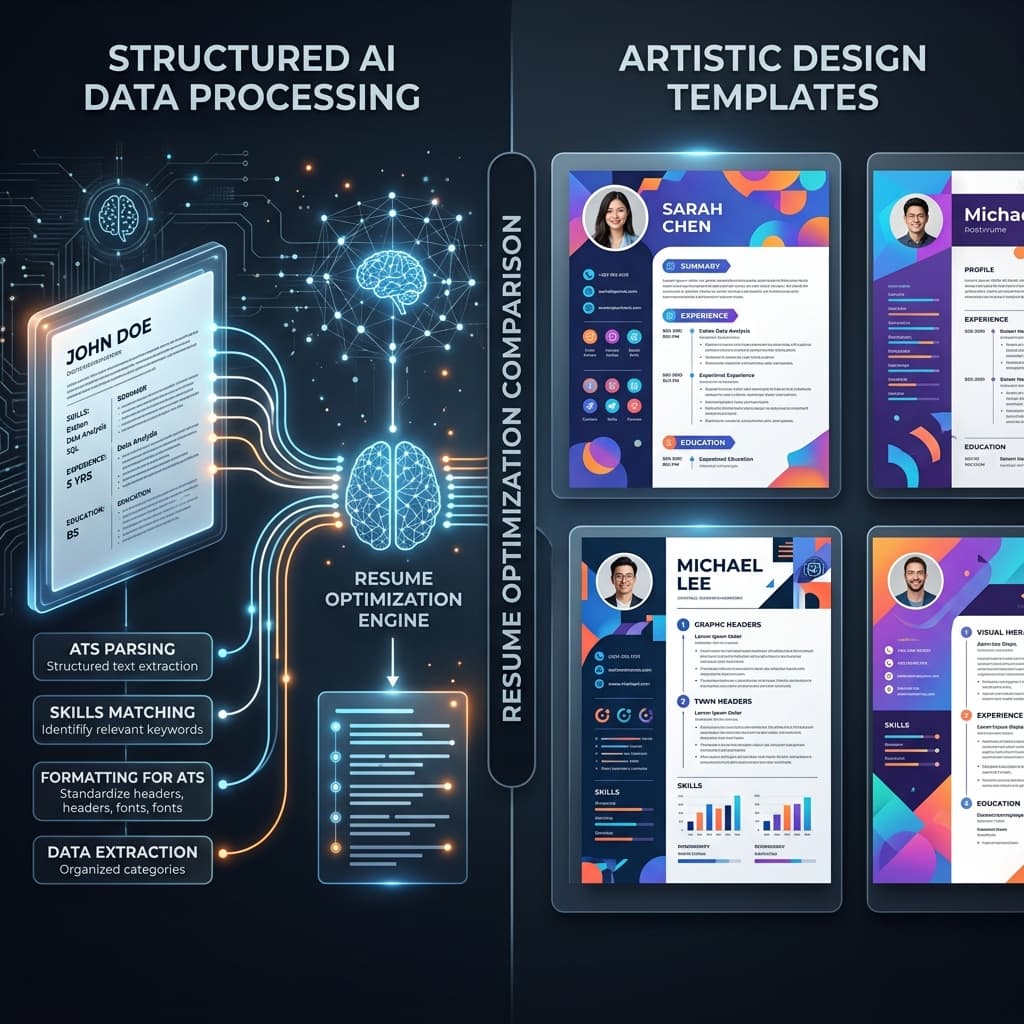
You've spent hours choosing the perfect font, tweaking the line spacing, and adding a subtle splash of color to your resume on Canva. It looks stunning. You hit "Download PDF" and start firing it off to recruiters.
Then weirdly enough... weeks pass. Silence. Not a peep from potential employers.
The harsh reality of modern job hunting is that between 75% and 95% of resumes are never seen by a human eye. They are first processed by an Applicant Tracking System (ATS). And this is where the "Visual vs. Functional" battle begins.
The Canva Trap: Beauty is Only Skin Deep
Canva is a design powerhouse. For creative roles—think Graphic Designer, Fashion Stylist, or Art Director—a Canva resume can be a brilliant way to showcase your personal brand.
Why Candidates Love Canva
- Stunning Templates: You can look like a Fortune 500 executive in minutes.
- Ease of Use: Drag-and-drop elements make it far more intuitive than Microsoft Word.
- Customization: Unlimited colors, fonts, and icons to make your document "pop."
The ATS PROBLEM:
"Canva resumes are often constructed with floating text boxes, complex layers, and graphic elements that look great to humans but are gibberish to a machine."
Why it's bad: When an ATS tries to "parse" a Canva PDF, it often jumbles the text. Your work history might appear in the wrong order, or your skills might vanish entirely from the system's search results. If the machine can't read it, the human never sees it.
The Rise of AI Resume Tailoring
While Canva focuses on how your resume looks, AI-powered tools like our Instant Ai Resume Generator focus on what your resume says and how it aligns with specific job requirements.
AI tailoring isn't just about keywords; it's about semantic alignment. It analyzes the job description's underlying requirements and intelligently maps your experience to those needs.
The AI Advantage:
"Upload your master resume, paste the job link, and let the AI rewrite your profile summary and bullet points to match the exact tone and requirements of the employer."
Why it's good: It maximizes your ATS Compliance Score while maintaining a professional, readable layout. You're effectively "optimizing" your resume for the algorithm that stands between you and the interview.
Canva vs. AI Tailoring: Head-to-Head
| Feature | Canva | AI Resume Generator |
|---|---|---|
| Focus | Visual Aesthetics | Content Optimization |
| ATS Compatibility | Low (Varies by template) | High (Parsing optimized) |
| Tailoring Speed | Slow (Manual editing) | Instant (AI-driven) |
| Design Flexibility | Unlimited | Standardized / Professional |
Key Takeaways
- Choose Your Battle: Use Canva for creative roles or when emailing a person directly. Use AI tailoring for online portals.
- Content Beats Colors: A plain resume that perfectly matches a job description will beat a colorful one that doesn't.
- Avoid the Parser Pitfall: Multi-column layouts and icons in Canva can confuse older ATS systems.
- AI is Your Secret Weapon: Tailoring a resume manually for every job takes hours. AI tools do it in seconds.
Ready to Beat the ATS?
Don't leave your career to chance based on a design template. Utilize the power of AI to ensure your skills and experience are perfectly aligned with exactly what recruiters are looking for.